
Copy and paste between tools
The same details are typed into a form, a sheet and a CRM.
Business process automation
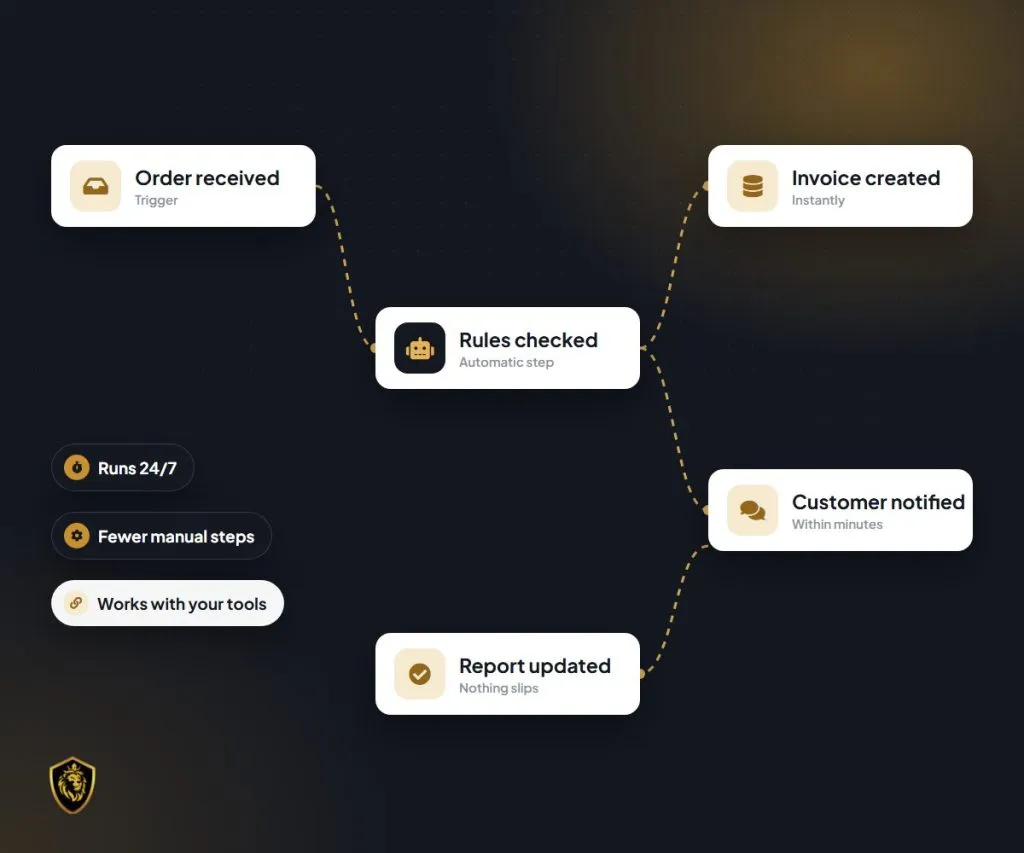
Most businesses already have the tools they need. The trouble is the gaps between them: data typed twice, reminders that depend on memory, and nobody quite sure what happened when something goes wrong. We connect the tools you already use so information moves automatically, with alerts and logs so you stay in control.
At a glance
Where you are now
How we do it
What you get
Does this sound familiar?
Your business runs on forms, sheets, e-mail, a CRM and a few other tools. Each does its job, but people spend a surprising part of the day moving information between them and making sure nothing is forgotten.
If any of the following sounds familiar, you are in good company:
The same details are typed into a form, a sheet and a CRM.
Invoices, reminders and hand-offs happen only if someone remembers.
Work waits while it passes from one person or team to the next.
When something goes wrong, nobody can see what happened or when.
Every new customer adds more manual work.
Processes usually grow one tool at a time, and people fill the gaps by hand. Automation helps most once the process is clear, so we map it first and automate second.
These are patterns business owners often describe to us. They are not a verdict on your processes; that needs a proper look at them.
The real cost
Small delays and errors add up across a week.

People spend hours re-entering data and chasing updates.
A typo in one tool becomes a wrong invoice or a missed delivery in another.
Slow hand-offs mean slower replies and slower delivery.
Admin grows with every new customer, until it limits how much you can take on.
Why it happens
Each is avoidable with a little planning.
01
Automation feels like a way to fix a messy process.
Better: Map and agree the process first; automation then makes a clear process faster.
02
Every task looks like a candidate.
Better: Rank opportunities by value and start with the ones that save the most time or prevent the most errors.
03
The normal case is easy to automate.
Better: Plan what happens when data is missing or something unusual occurs, and who is told.
04
Automations seem to just work.
Better: Add error alerts and logs so failures are noticed and can be traced and fixed.
05
The person who built it knows how it works.
Better: Document each automation so rules can be changed later without guesswork.
What good looks like
Clear processes, connected tools and visibility when something goes wrong.
Before
Without a clear plan
After
With The Lion Kingdom
We don’t promise a percentage of time or cost saved. We help you choose automations worth doing and check that they work.
How we help
We connect the tools you already use so data moves between them automatically, replacing copy-and-paste, manual reminders and repeated admin.
The current process mapped with your team.
Automation opportunities listed and ranked by the value they bring.
A check of the risks and the data involved before anything is built.
Integrations between your tools, or custom integrations where needed.
Automatic reminders and hand-offs so nothing depends on memory.
Alerts and logs so issues are noticed and can be traced.
Each automation documented so it can be changed later.
A walkthrough so your team knows what runs automatically.
Monitoring and fixes once automations are live.
Typical scope. The exact deliverables are agreed in your written proposal, and not every item is part of every engagement. Automation platforms and APIs that connect your existing tools, or custom integrations where needed. Chosen per project.
Real results
How we connected forms, Google Sheets, WhatsApp and email so every new lead got a fast, personal reply.
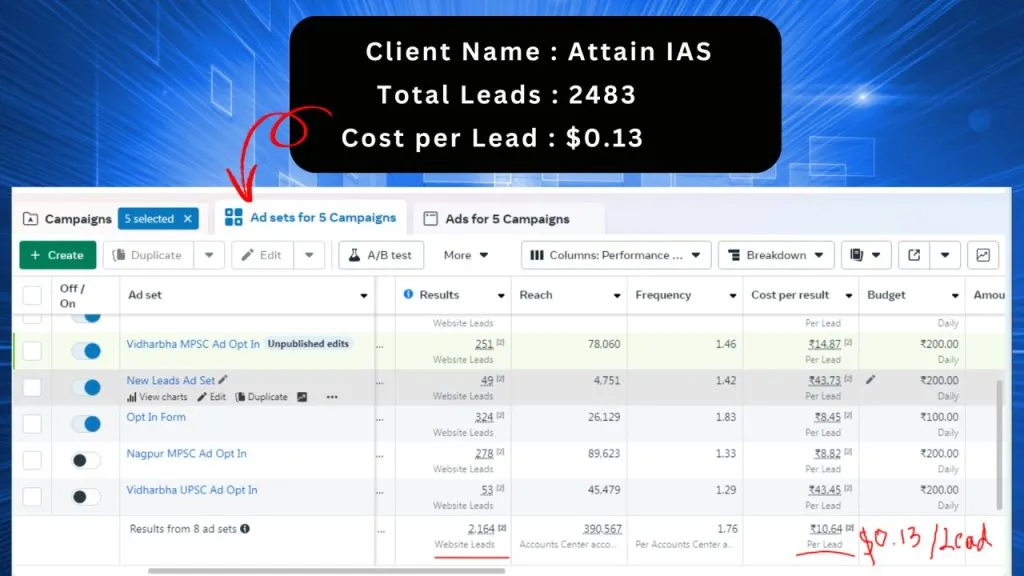
2,483 leads at $0.13 each
Attain IAS, Nagpur
Read the storyWhy work with us
The Lion Kingdom was founded in Nagpur in October 2021 by Pavan Khobragade, who leads the business.
Scope, timeline, cost and payment terms are agreed in a written proposal before work starts.
Every automation is documented and has error alerts and logs, so issues are noticed and can be fixed.
You see progress regularly and can change priorities between stages.
Who it is for

If automation isn’t the right next step, we will say so and suggest what to tidy up first.
How we work
01
We learn your business, customers, numbers and what has or hasn’t worked so far.
02
You get a written plan: priorities, scope, timeline and how we will measure progress.
03
We automate the highest-value step first, run it alongside the manual process, then switch over.
04
We go live carefully, with tracking in place so results can be measured from day one.
05
We review results with you in plain language and keep refining what works.
The exact steps depend on your starting point and the agreed scope, and are set out in your proposal.
FAQ

We add error alerts and logs so failures are noticed and can be fixed quickly.
Usually not. We start by connecting the tools you already use.
Yes. We document each automation so changes are straightforward.
With the process that wastes the most time or causes the most errors. We rank the opportunities with you during mapping.
Access to the tools to be connected, a process owner to confirm each rule, and time to test with real examples.
It depends on the number of processes and tools involved. After mapping, we send a written proposal with the scope and cost.
Related services
AI added to everyday workflows, such as drafting, sorting and summarising, with human review where it matters.
Every enquiry captured, assigned and followed up on time by WhatsApp or e-mail, with consent respected.
Software for your own team: CRMs, portals, dashboards and integrations that fit how your business works.
Book a free 30-minute introductory strategy call to talk through the processes that take the most time. We are a founder-led team in Nagpur, and we agree the scope in writing before any work starts.